
.png)
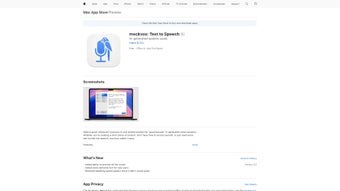
Description
Download mockvox Text to Speech – Free AI Voice Generator, Fast Narration, MP3 Export
Overview
mockvox Text to Speech is a web‑based AI voice generator built for anyone who needs quick, high‑quality narration without the hassle of traditional recording studios. The platform converts any written text into natural‑sounding spoken audio in seconds, making it a perfect companion for content creators, educators, podcasters, and small businesses. What sets mockvox apart is its streamlined interface that works equally well in light and dark modes on macOS, Windows, Android, and iOS browsers, allowing users to stay productive regardless of their preferred environment. While the core functionality is offered for free, users who require longer scripts or bulk processing can unlock additional capacity through an in‑app purchase model. Security and privacy are baked into the service; mockvox does not store personal data after the conversion is complete, ensuring that sensitive information stays private. Exported files are saved in universally compatible MP3 format, ready for upload to YouTube, inclusion in e‑learning modules, or distribution via any audio‑enabled platform. In short, mockvox delivers a blend of speed, simplicity, and versatility that meets the demands of modern digital storytelling.
Key Features & Compatibility
- Multiple AI‑generated voices covering a range of accents, genders, and tonalities.
- Adjustable speaking speed from 0.5x to 2x, letting you fine‑tune the pacing for different audiences.
- One‑click MP3 export, eliminating the need for external conversion tools.
- Dark‑mode and light‑mode themes that automatically adapt to system settings.
- Secure, browser‑based processing with no permanent storage of user text.
- Free tier for short scripts; premium credits available for longer or batch conversions.
- Responsive design works on desktop browsers (Chrome, Firefox, Safari, Edge) and mobile browsers on Android and iOS.
- Built‑in clipboard support for fast copy‑paste of source material.
Compatibility is a cornerstone of mockvox’s design philosophy. The web app runs on any modern operating system that supports HTML5 and JavaScript, including Windows 10/11, macOS Ventura and later, Chrome OS, as well as mobile platforms like Android 12+ and iOS 15+. Because it operates entirely in the browser, there is no need to download or install additional software—simply navigate to the mockvox site, grant microphone access if you wish to preview live, and start generating audio. This cross‑platform approach ensures that teams working across different devices can collaborate without friction, while the underlying AI models are hosted on secure cloud servers that guarantee consistent performance regardless of local hardware specifications.
Supported Operating Systems: Windows, macOS, Linux (via browser), Android, iOS.
Installation, Usage, and Pros & Cons
Getting Started – No Installation Required
Since mockvox is a web application, the “installation” process is reduced to opening a browser and visiting https://mockvox.com. For users who prefer a shortcut, the site offers a Progressive Web App (PWA) option: click the “Add to Home Screen” button on Chrome or Safari, and mockvox will appear as a native icon on your desktop or mobile home screen. This creates an app‑like experience without consuming storage space.
Step‑by‑Step Workflow
- Paste or type your text into the central editor box. The editor supports rich text formatting, but only plain text is rendered in the final audio.
- Select a voice from the dropdown menu. Each voice preview plays a short sample so you can hear the tone before committing.
- Adjust speed using the slider. Real‑time feedback shows the estimated duration of the final file.
- Click “Generate”. The cloud AI processes the request and returns an audio waveform within seconds.
- Listen, fine‑tune, and export. If needed, you can re‑generate with different settings. When satisfied, press “Download MP3”. The file saves to your default download folder, ready for immediate use.
Pros & Cons
- Pros
- Fast turnaround – most scripts under 500 words render in under 10 seconds.
- High‑quality, natural‑sounding voices that rival professional studio recordings.
- No software download; works on any device with a modern browser.
- Free tier sufficient for short tutorials, social media posts, and personal projects.
- Secure processing with no long‑term storage of user data.
- MP3 export eliminates extra conversion steps.
- Cons
- Premium credits required for scripts longer than 2 minutes, which may be a barrier for heavy users.
- Limited customization beyond speed and voice selection (no SSML markup for emphasis or pauses).
- Occasional latency spikes during peak usage hours due to shared cloud resources.
- Internet connection is mandatory; offline use is not supported.
Frequently Asked Questions & Conclusion
Is mockvox truly free to use?
Yes, mockvox offers a free tier that allows you to generate audio for short texts (up to about 2 minutes). For longer scripts or bulk processing, you can purchase credits directly within the app.
Can I use mockvox on a mobile device?
Absolutely. The web app is fully responsive and works on Android and iOS browsers. You can also add it as a Progressive Web App for a native‑like experience.
What file format does mockvox export?
All audio is exported as MP3, which is compatible with virtually every media player, video editor, and online platform.
Is my text stored after conversion?
mockvox processes text in memory only. Once the audio file is generated, the original text is discarded, ensuring privacy and compliance with data‑protection standards.
Can I customize pronunciation or add pauses?
Currently mockvox offers speed control and voice selection. Advanced markup like SSML for custom pronunciation is not supported yet, but the team is actively developing additional features.
In summary, mockvox Text to Speech delivers a fast, secure, and user‑friendly solution for anyone who needs high‑quality narration without the overhead of traditional recording equipment. Its cross‑platform accessibility, multiple AI voices, and instant MP3 export make it a standout tool for educators, marketers, podcasters, and developers alike. While power users may eventually require the premium credit package for extensive projects, the free tier provides ample functionality for most everyday tasks. Ready to transform your written content into professional‑grade audio in seconds? Download mockvox Text to Speech now and experience the convenience of AI‑driven narration today.
Guides & Tutorials for mockvox Text to Speech
How to install mockvox Text to Speech
- Click the Preview / Download button above.
- Once redirected, accept the terms and click Install.
- Wait for the mockvox Text to Speech download to finish on your device.
How to use mockvox Text to Speech
This software is primarily used for its core features described above. Open the app after installation to explore its capabilities.
User Reviews for mockvox Text to Speech 0
No reviews found




